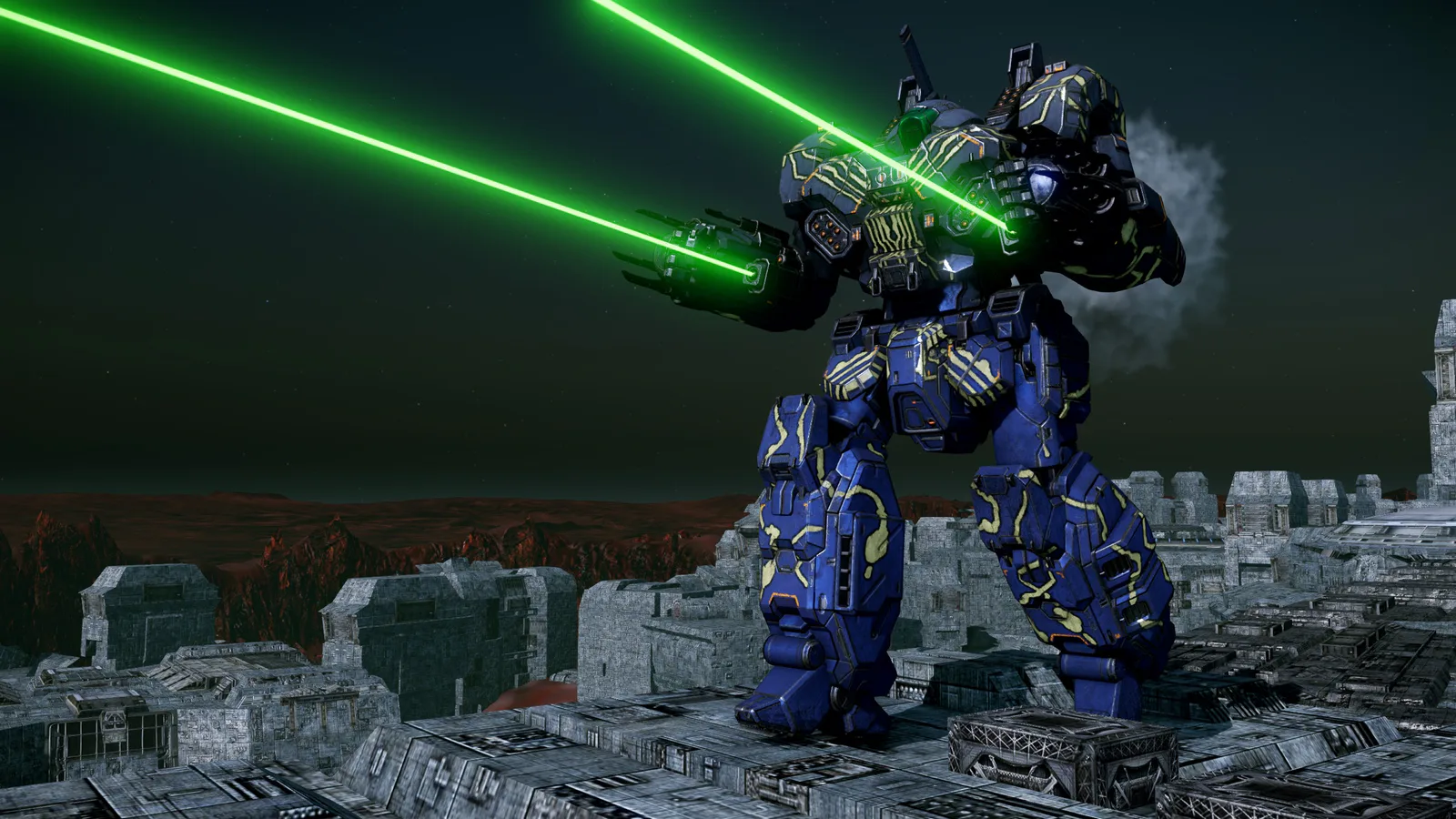
NEW 'MECH: CRUSADER
The Crusader heavy BattleMech is the first new 'Mech chassis to be added to MechWarrior Online in 3 years (the Dervish was added in June 2019)! It's also the most requested 'Mech ever. We love it, and hope you do too!NEW MAP: VITRIC STATION
Vitric Station is a BRAND NEW map from Francois (Level Designer), based off of the Faction Play map Vitric Forge. We can't wait to see you on this battlefield!'MECH QUIRKS
CRUSADER All Variants:- +10 Armor bonus to LT, CT, RT, LL, RL
- +15 Armor Bonus to LA, RA
- -10% Heat
- -10% Ballistic cooldown
- -10% Energy cooldown
- +100% MG RoF
- LRM HSL +1
- +7.5% mech top speed
- -10% Missile heat
- +10% MRM Velocity
- MRM HSL +1
- +10% Laser range
- -10% Laser duration
- -10% Heat
- -20% Ballistic cooldown
- +20% Ballistic velocity
- -10% LBX Spread
- Streak SRM HSL +1
- -10% Heat
- +10% SRM Range
- +10% SSRM Range
- +10s Narc duration
- +50m Narc range
- -20% Stealth armor cooldown
- +10% Enhanced ECM
- +100m Sensor range
- +100m Seismic sensor range (seismic sensor comes stock)
- +20% Ballistic velocity
- -10% Ballistic heat
- Removed HMG ammo bonus per ton
- Reduced LA, RA Armor bonus to +10 (from +16)
- Reduced LA, RA Structure bonus to +5 (from +8)
- Reduced PPC heat to -7.5% (from -15%)
- Reduced Energy heat to -10% (from -15%)
- Added -5% Laser heat
- Removed HMG ammo bonus per ton from SO8
- Removed LA, RA Armor bonus
- Reduced heat to -5% (from -10%)
- Increased PPC family heat to -10% (from -5%)
- Added -25% Fall damage
- Added Snub Nose PPC HSL +1
WEAPON ADJUSTMENTS
As a continuation of our assessment of weapon performance, the following changes have been made: ENERGY WEAPONS Snub Nose PPC:- Increased pinpoint damage to 10 (from 8.5)
- Increased damage to each adjacent component to 2.5 (from 1.5) (aka., 2.5 + 10 + 2.5)
- Reduced minimum heat penalty limit to 3 (from 4)
- Increased heat penalty multiplier to 7 (from 4)
- Increased ammo per ton to 7 (from 5)
- Increased range to 360m (from 250m)
- Increased max range to 540m (from 500m)
- Reduced crit damage multiplier to 3.0 (from 9.0)
- Reduced 1x, 2x, 3x critical hit chances to 25%, 14%, 3% (from 31%, 17%, 4%)
- Reduced spread to 0.16 (from 0.25)
- Increased range to 360m (from 250m)
- Increased max range to 540m (from 500m)
- Reduced crit damage multiplier to 2.33 (from 7.0)
- Reduced 1x, 2x, 3x critical hit chances to 25%, 14%, 3% (from 28%, 15.5%, 3.5%)
- Reduced spread to 0.23 (from 0.33)
MAP UPDATES
Viridian Bog- Removed floating assets
- Moved Theta capture point in the new zone
- Grouped Skirmish spawn points together, similar to Conquest and Assault modes
- Removed fog completely
- Increased cover for both spawn points
- Added new central structure to provide cover for Domination
BUG FIXES
- Inner Sphere Ultra AC 5 can now be double tapped 0.11 seconds after first shot, consistent with the rest of Ultra autocannons. Currently IS UAC5 has a 0.5 second delay before you can double tap.
- VPR-F & VPR-F(L) now has its 2.5xp Omnipod Bonus
- Matchmaker now has separate settings for Event Queue and Quick Play
KNOWN ISSUES
- Tourmaline Desert is missing most of its assets.
To make the patching process easier for players with limited download caps, we'll be providing direct download links for the patch file(s) that comprise this patch. This will allow you to download the patch file(s) elsewhere, for manual injection into the MWO patcher through a Patch Cache folder.
Aside from allowing you to download the patch file(s) elsewhere, on another connection, there are no additional benefits to performing the patch this way; the patching process itself will be the same.
This direct patch download process will only work for players running the standalone client. It does not apply to players running MWO through Steam.
- Download the above file(s)
- For sake of ease, we recommend creating a dedicated folder for the patch file(s), such as 'MWO Patch Cache'
- You do not need to unzip or unpack the patch file(s)
- Launch the MWO Portal
- Select the three horizontal lines in the top left of the Portal Window
- Choose the 'Specify Patch File Cache' option
- In the field that appears, paste or enter the location in which you saved the patch file(s) and hit OK
- For example, C:Users<username>DocumentsMWO Patch Cache
- Click the blue Patch button
- The launcher will now check the Patch Cache folder you defined. If it locates the required patch files, it will unpack and use those files to apply the patch.
- Once the patch is complete, launch the game